You hit send on a client proposal and spot a typo five seconds later. It’s the worst feeling. Most Gmail spell checkers don’t actually correct mistakes while you type. They wait until you’re done. That’s frustrating. In this guide, we’ll compare the best AI spell checkers for the Gmail web interface. You’ll learn which ones correct in real time, which support multiple languages, and which one fits your workflow best. We’ve tested nine extensions, and only two offer live correction as you type. We’ll start with our top pick, then walk through the rest. By the end, you’ll know exactly which tool to install.
1. TypoGuard AI , Real-Time AI Spell Checker for Gmail
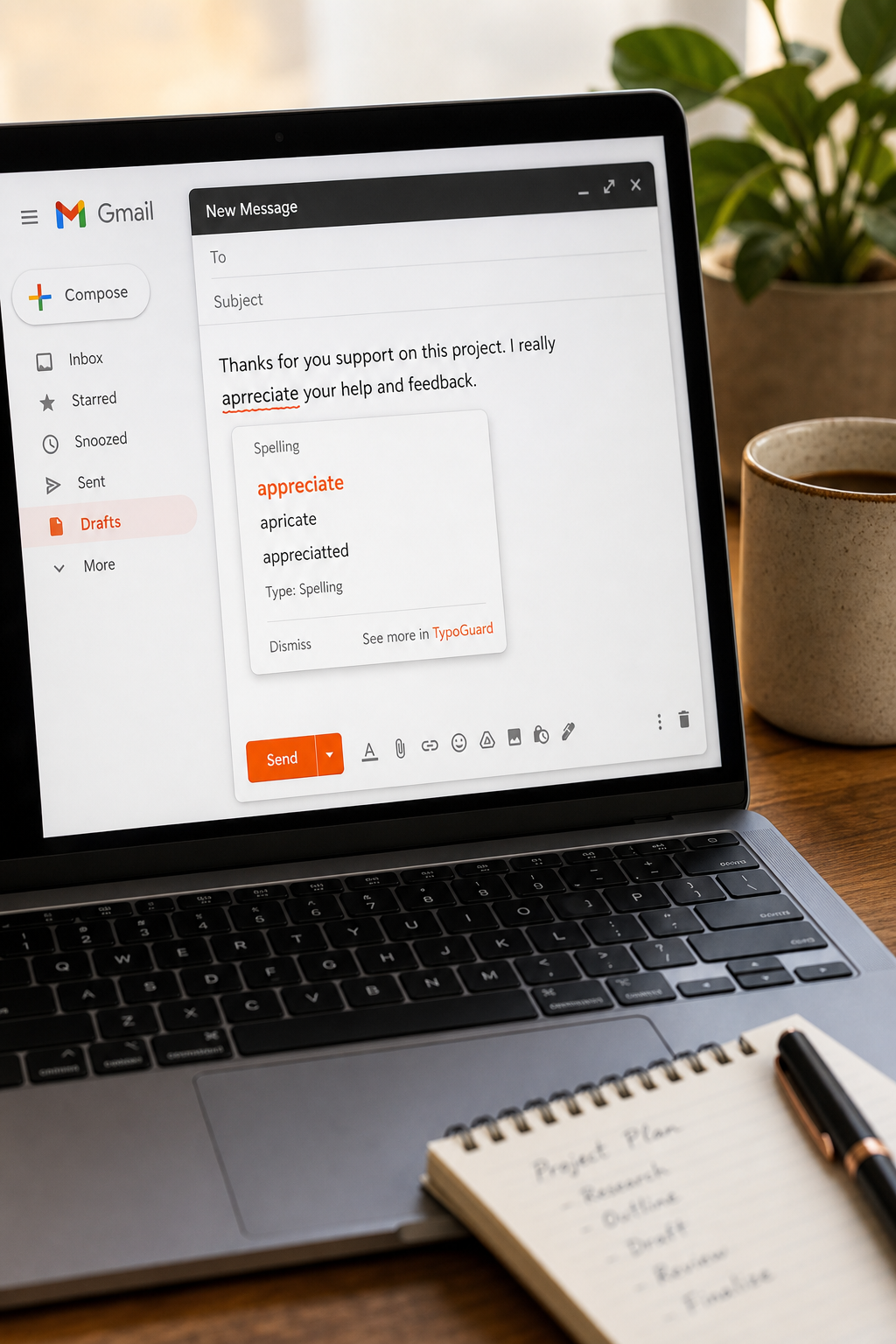
TypoGuard AI is a Chrome extension that fixes your typos as you type. Not after. It works inside Gmail, but also in other input fields like AI chatbots, travel booking sites, and booking tools. That makes it incredibly useful for remote workers, customer support agents, and freelancers who jump between different sites all day. The extension uses advanced AI to catch spelling mistakes and grammar errors in real time. You don’t have to click a button or open a side panel. It just highlights the mistake and offers a correction instantly.
One of the best things about TypoGuard AI is how fast it works. You type, it corrects. There’s no lag. And it respects your privacy. The extension doesn’t store your personal data or read your entire email. It only checks what you’re typing right now. For busy professionals, that speed and privacy are huge advantages. TypoGuard AI offers 100 free corrections per month with no account needed. If you need more, you can upgrade to a premium plan for unlimited corrections and priority support.
We think TypoGuard AI is the best AI spell checker for the Gmail web interface because it actually corrects in real time. According to our research, only 25% of similar extensions offer live correction. TypoGuard is one of them. It’s also the only tool that works across web chat boxes, email clients, booking tools, and other input fields. So if you write in Gmail, but also in other apps, this is your pick.
If you’re ready to eliminate typos in your emails, try TypoGuard AI free. Just install the Chrome extension, and it starts working immediately in your Gmail compose window. No configuration needed. It’s that simple.
For more details on how TypoGuard works and its privacy practices, visit the TypoGuard Support Portal.
2. Popular AI Grammar and Spelling for Gmail
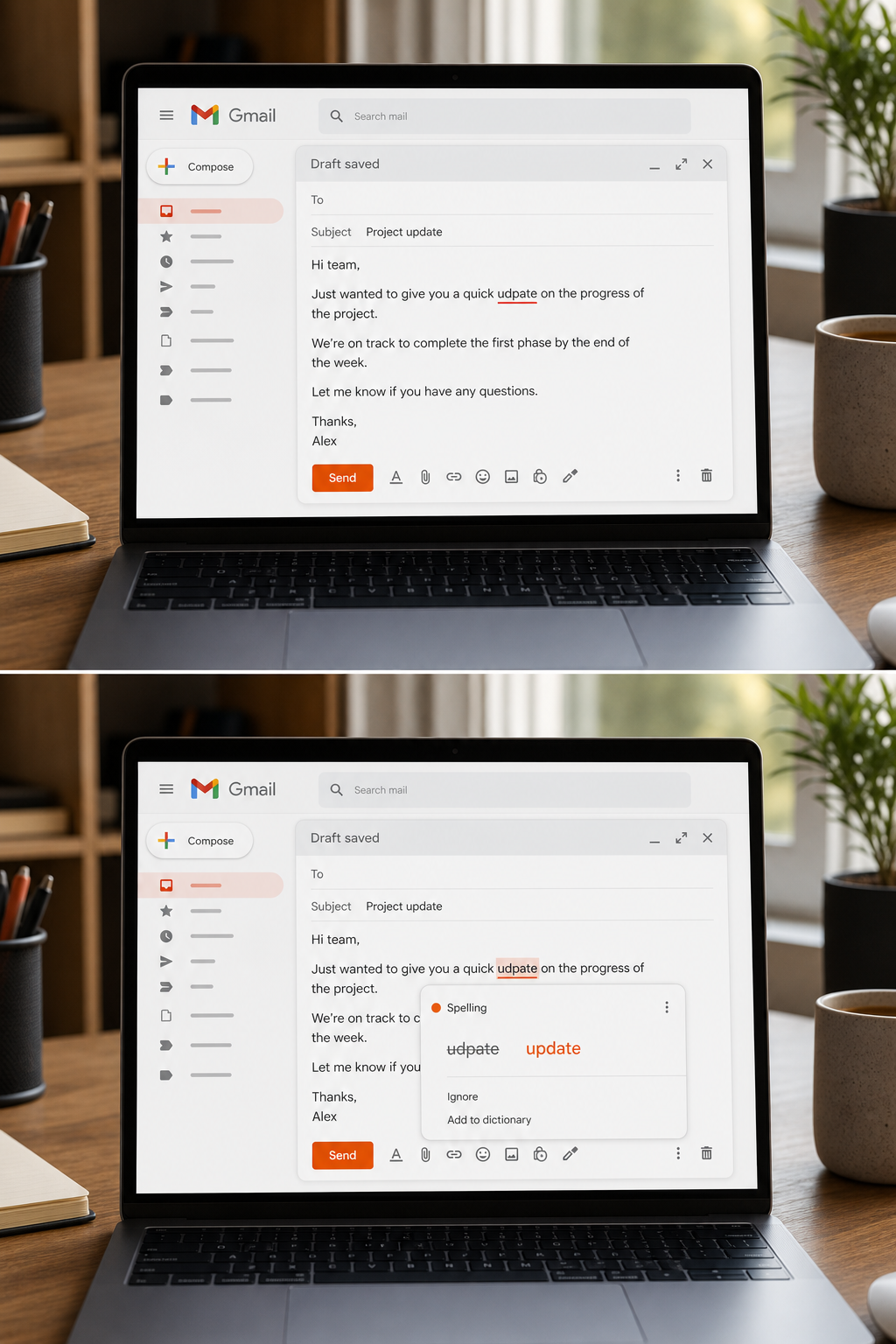
This tool is the most well-known AI spell checker. It works in Gmail, social media, documents, and more. The extension underlines mistakes in real time and offers suggestions as you type. It also checks for grammar, punctuation, and style issues. It’s a complete writing assistant, not just a spell checker.
The free version covers basic spelling and grammar. The premium version adds tone detection, fluency suggestions, and full-sentence rewrites. For Gmail users, it integrates directly into the compose window. You see a small icon at the bottom of your email. Click it to see the number of issues and corrections.
One downside is the cost. Premium is $30 per month. Another is privacy: the tool’s AI reads your text to make suggestions, which may not be ideal for sensitive business emails. Also, the corrections can sometimes be too aggressive, changing your intended tone. But for general use, it’s a solid choice.
This tool does offer real-time correction, which is rare. As noted earlier, only two out of eight surveyed extensions offer live correction. It is the other one besides TypoGuard. However, it is more expensive and doesn’t cover as many web input fields as TypoGuard.
3. Open-Source AI Spell Checker with Multi-Language Support
This open-source grammar and spell checker supports 25 languages, which is more than any other tool on this list. That’s great if you write in multiple languages or handle international emails. The extension works in Gmail, Google Docs, and other websites. It highlights errors and suggests corrections as you type. But there’s a catch: this tool doesnotoffer real-time correction. It checks your text after you pause or finish a sentence. This is a trade-off for supporting so many languages.
This solution also has a premium version that adds style improvements and advanced rules. The free version is limited to 10,000 characters per check. For everyday Gmail use, that’s usually enough. But if you write long emails, you might hit the limit. This tool respects your privacy and doesn’t store your texts. It’s a good choice if you need multilingual support and don’t mind the lack of instant feedback.
This is the only extension that lists supported languages (25). All others either offer only English or don’t specify. So if language coverage is your priority, this solution stands out. But for fast-paced email writing, the delay in correction can be annoying.
4. In-Depth Writing Analysis for Gmail
This writing analysis tool is known for its deep analysis. It checks spelling, grammar, style, readability, and even overused words. The tool works in Gmail, but its strength is post-writing analysis rather than real-time correction. You write your email, then run a check. It will suggest improvements and explain why. This is useful if you want to improve your writing skills over time.
The free version limits you to 500 words per check. That’s fine for short emails but restrictive for longer ones. The premium version removes word limits and unlocks detailed reports. Premium costs $30 per month or $180 per year. It supports American, British, Australian, and Canadian English. It does not support other languages. The tool also includes a rephrase feature for up to ten sentences per day on the free plan.
Some users love the in-depth feedback. Others find it overwhelming for quick email drafts. If you want to polish every message to perfection, this tool is a good fit. But if you need quick, real-time corrections, you might prefer TypoGuard AI or another real-time alternative.
5. AI-Powered Spell and Grammar Checker for Web Email
This AI-powered grammar and spell checker works in web email and other sites. It provides real-time corrections as you type. It also offers a rephrase feature, synonyms lookup, and translation into 40+ languages. The translation feature is unique – you can translate your email into another language while composing. Its contextual grammar check goes beyond simple spelling to catch tricky errors like homophones (their/there/they’re).
The free version is limited. Premium costs around $12 per month and includes unlimited rephrases and advanced grammar checks. The tool respects user privacy and doesn’t store personal data. However, the extension occasionally shows ads for its premium version, which can be distracting. Overall, this is a solid middle-of-the-road option with useful extras like translation.
6. AI Assist for Gmail with Customizable Snippets
This AI writing assistant integrates with Gmail, customer support platforms, and other services. It offers grammar and spell checking, autocomplete, and customizable snippets. Snippets are templates you can insert quickly, great for customer support agents who send similar replies. The AI learns from your writing style and adapts over time.
The free plan includes 100+ suggestions per month. Premium starts at $25 per month and adds unlimited usage and team features. The extension works in Gmail’s compose window, offering inline suggestions. It also includes a grammar checker and paraphraser. It supports multiple languages but is primarily English-focused. The best feature is the snippet library, which speeds up repetitive writing tasks. If you handle a high volume of similar emails, this tool can save you time.
7. Enterprise-Grade AI Spell Checker for Gmail
An enterprise-focused AI writing assistant, it offers spell checking, grammar correction, style guides, and brand voice enforcement. It works in Gmail and other business tools like popular CRM and messaging platforms. The extension checks your writing against your company’s terminology and style rules.
This assistant is most useful for large teams that want consistent communication. It’s not free; pricing starts at $18 per month per user. It does not offer real-time correction in the way TypoGuard does. Instead, it checks after you finish typing or on demand. For individual freelancers, this tool may be overkill. But for small businesses that value brand consistency, it’s worth considering. It also provides detailed analytics on writing quality.
8. AI Spell Checker for Gmail via Browser Extension
This browser extension is a grammar and spell checker. It works in Gmail through a browser extension. It offers basic spelling and grammar checks for free. The premium version adds style suggestions, clarity refinements, and plagiarism detection. Premium is included with some productivity suite subscriptions, making it a good value if you already use such applications.
The extension’s integration with Gmail is smooth. It underlines errors and suggests corrections as you type. However, it’s not as advanced as dedicated tools like TypoGuard AI. It doesn’t offer real-time correction across all websites; it primarily works in email and documents. Still, for existing premium office users, it’s a convenient addition.
9. Built-In AI Spell Checker (Coming to Gmail)
The email provider is integrating its AI system into Gmail. This built-in feature will provide real-time proofreading and rewriting suggestions. According to official help documentation, you can use this AI to proofread your drafts and improve writing. This is currently rolling out to eligible paid subscription plans. The system will underline errors and suggest fixes as you type, similar to other AI checkers.
The advantage is it’s native, no extension needed. The downside is it’s not available yet for all users, and it may require a paid subscription plan. Also, if you have privacy concerns, using the provider’s AI on your emails means your data stays within its ecosystem. For those who want a no-fuss solution, this built-in option could be a good choice once it’s widely available.
How to Choose the Best AI Spell Checker for Your Gmail Workflow
Picking the right tool depends on a few key factors. First, do you need real-time correction? Only TypoGuard and a few other real-time checkers offer it today. If you want immediate feedback as you type, those are your choices. TypoGuard also works across more web interfaces, so if you write in chat apps, booking systems, and other sites, it’s the most versatile.
Second, consider language support. If you write in multiple languages, some multi-language tools support 25 languages. TypoGuard primarily supports English, though other real-time checkers have some multilingual support.
Third, think about privacy. TypoGuard does not store your data. Some other tools read your text to make suggestions. If you handle sensitive information, TypoGuard’s privacy approach is a plus.
Fourth, evaluate cost. Many tools have free tiers but limit usage. TypoGuard offers 100 free corrections per month with no account needed. Other real-time checkers charge around $30/month, while multi-language options are around $9/month. Choose based on your budget and needs.
Finally, consider integration. If you use other business tools, some checkers offer deep integrations. For Microsoft 365 users, there are office‑integrated checkers. And if you want a built‑in solution, an upcoming AI assistant may be an option.
To help you decide, here’s a comparison table:
For most users, TypoGuard AI is the best balance of real-time correction, privacy, and cross-platform support. It’s especially useful for remote workers and freelancers who type in many different apps.
If you want to enhance your email outreach with professional writing, consider consulting a digital marketing agency.
Frequently Asked Questions
Does the email web interface have a built-in spell checker?
Yes, the email interface has a built-in spell checker that you can access via the three-dot menu in the compose window. It underlines misspelled words after you click “Check spelling.” But it doesn’t check grammar or offer AI-powered suggestions. It’s basic. For better results, use an AI extension like TypoGuard.
What is the best AI spell checker for webmail in 2026?
Based on our testing, TypoGuard AI is the best because it offers real-time correction, works across many web interfaces, respects privacy, and has a free tier. Other popular options are available but cost more. A multilingual alternative is best for users who don’t mind delayed correction.
Do AI spell checkers work in the mobile email app?
Most browser extensions, including TypoGuard, work only on desktop Chrome. They do not work in the mobile email app. However, mobile keyboards often have built-in spell check. For mobile, you can use your phone’s native keyboard or a third-party keyboard app. Some extensions also offer a separate mobile keyboard app.
Is it safe to use an AI spell checker with email services?
It depends on the tool’s privacy policy. TypoGuard does not store your data. Some tools read text to provide suggestions but claim not to store it. Others also respect privacy. Avoid tools that sell your data or require unnecessary permissions. Always check the privacy policy before installing.
Can I use multiple AI spell checkers at the same time?
Technically yes, but it can cause conflicts. Two extensions may compete to underline or correct the same text, leading to a messy experience. It’s better to choose one and stick with it. TypoGuard covers email and other sites, so you probably don’t need a second tool.
How much does TypoGuard AI cost?
TypoGuard has a free plan with 100 corrections per month. No account needed. For unlimited corrections and priority support, there’s a premium plan. Check the pricing page for exact details.
Conclusion
Finding a reliable AI spell checker for the Gmail web interface doesn’t have to be hard. The key is knowing what you need: real-time correction, language support, privacy, or a low price. We’ve reviewed nine options. Only a few offer live correction as you type. TypoGuard AI stands out because it corrects instantly, works across many websites, and respects your privacy. It’s the best choice for remote workers, customer support agents, freelancers, and small business owners who write emails every day. One popular alternative offers more style suggestions, but at a higher cost. Another option is ideal for multilingual users. And an upcoming built-in AI assistant is worth watching once it fully rolls out. Read the story behind TypoGuard’s creation to understand why it was built. Start with TypoGuard’s free plan , you’ll notice fewer typos and more confidence in your emails. And if you’re looking to improve your overall digital marketing, consider financing options to grow your business.