
The Best Spell Checker of 2027 will be judged on a short list of things: how well it catches mistakes, where it works, how much it asks of you, and what it does with your text. Which tool fits best depends on how you write, so this guide goes through every feature of TypoGuard one by one, including what it deliberately doesn’t do, so you can decide for yourself.
What a Spell Checker Is Judged On
Most spell checkers work in a simple way: they compare each word with a dictionary and flag the ones that aren’t in it, an approach Wikipedia’s overview of spell checkers describes in detail. That’s enough for obvious misspellings, but it leaves four practical questions that matter more than any feature list. Does it work in the places where you actually type? Is the fix quick? Can you control it? Do you know where your text goes? The sections below answer those for TypoGuard.
Checks as You Type, in Any Text Field
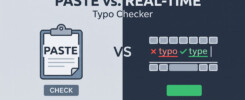
TypoGuard checks text fields, textareas, and rich-text editors as you type, on any website. That covers webmail such as Gmail and Outlook, chat interfaces such as ChatGPT, comment sections, contact forms, and the everyday text boxes you already use. There’s no separate window and nothing to paste, because the check happens in the field you’re writing in.
Underline, Suggestions, and One-Click Fixes
A misspelled word gets a red wavy underline. Click it to see suggestions, and one click replaces the word in place, exactly where it was. Nothing else in your sentence moves, so your wording stays yours.
Automatic Language Detection
TypoGuard detects the language you’re writing in automatically, so there is nothing to configure and no dictionary to switch when you move between languages. The extension’s own interface is available in German, English, Spanish, French, Italian, Brazilian Portuguese, and Greek.
Controls You Can Change
From the options page you can switch TypoGuard off for a specific site, or everywhere. You can also optionally turn off your browser’s own spell check, so you don’t see two sets of red underlines on the same word.
Privacy Limits Built In
Because an AI spell checker has to read what you type, its limits matter. TypoGuard never reads password fields: password, credit card, CVV, one-time code, and PIN inputs are excluded by input type, by autocomplete attribute, and by field name, before anything is read. It reads only the single field you’re actively editing, never the rest of the page. Your text is sent over HTTPS to TypoGuard’s backend, passed to the AI model, and discarded as soon as the correction comes back, and it’s never written to disk. There are no ads and no tracking pixels, and nothing is sold. The only thing stored is an anonymous installation identifier used to count your free corrections. The full details are in the TypoGuard privacy policy.
What It Corrects, and What It Leaves Alone
TypoGuard starts with spelling, and it also catches punctuation and style slips, particularly in Greek, where small words such as articles (το, τις, των) are easy to get wrong. It works on the text you’ve already written. It is a desktop extension, with no mobile app.
Pricing and Limits
The free plan includes 100 corrections per month. The first 30 work straight after install. After that, you connect a free Google account so your remaining corrections follow you between browsers and survive a reinstall. Premium costs $6.99 per month or $49.99 per year and includes 5,000 corrections per month.
Who It Suits Best
It suits people who write a lot in short bursts in the browser: replies in webmail, messages in chat tools, prompts for AI assistants, forms, and comments. For them, a fast in-place check that never gets in the way is more valuable than a long list of rewriting features. It suits people who want to keep their own voice, since the extension leaves the wording of every sentence alone. And it suits anyone who wants to try before paying, since the free plan is enough to judge whether it fits.
How to Get It
TypoGuard is available from the Chrome Web Store, and it also has listings for Firefox and Microsoft Edge on desktop. On your desktop or laptop, search for “TypoGuard” in your browser’s extension store, click Add, and confirm. If you’re comparing options first, the guide to the best spell check Chrome extension explains what to look for.
The Bottom Line
Whether any spell checker is the best of 2027 depends on what you need from it. If you want a fast, spelling-focused checker that works in place on any website, fixes mistakes in one click, detects your language automatically, and is clear about what it does with your text, TypoGuard fits that description. If you need grammar and style rewriting, you’ll want something more, and it’s better to know that before you install.
Add TypoGuard to your desktop browser at typoguard.vip

 Konstantinos Kreouzis(https://typoguard.vip/the-story-behind-the-creation-of-the-typoguard-chrome-extension/)